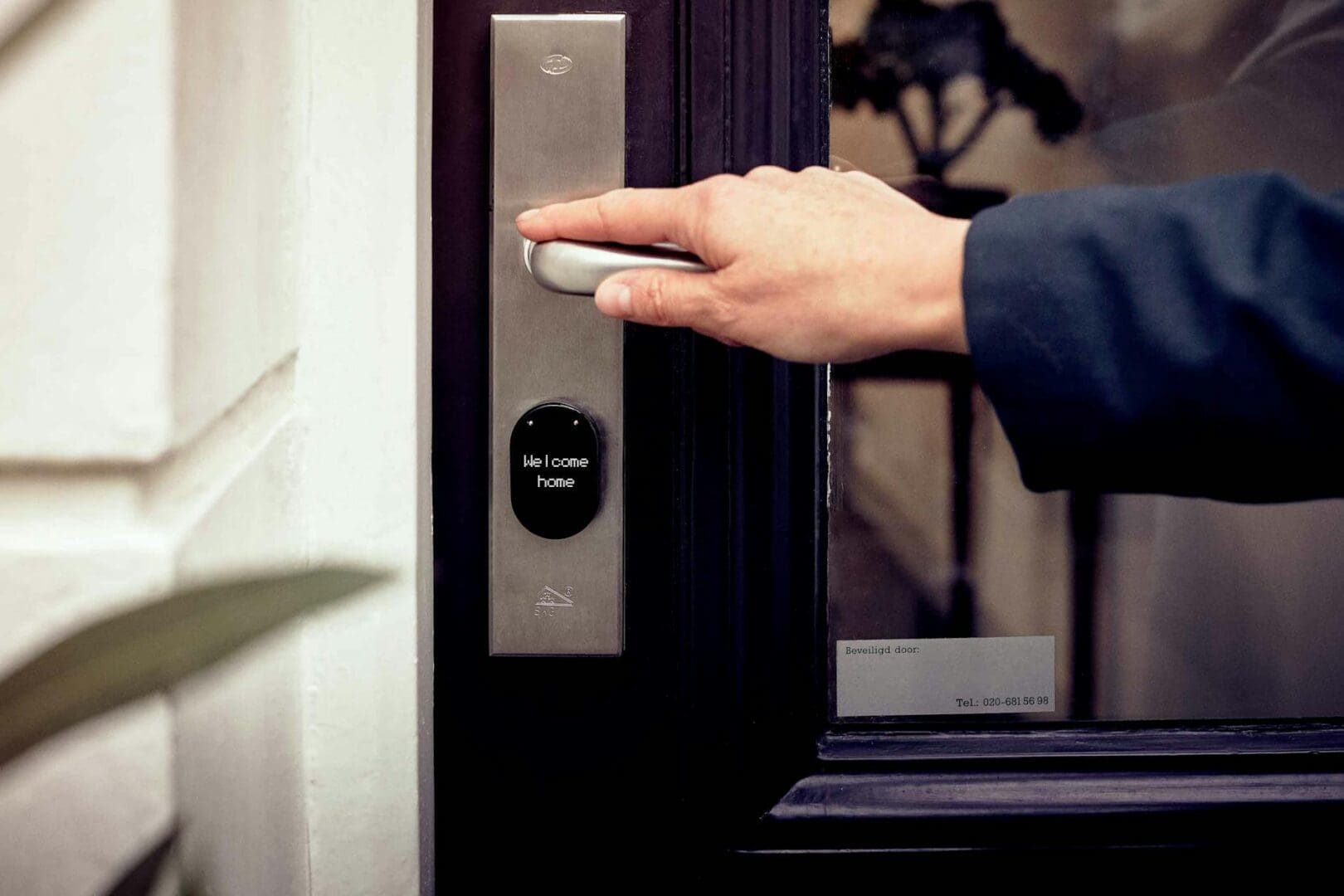
You’re standing at your front door, arms full of groceries, fumbling for keys that are buried somewhere in your pocket. Or maybe you’re lying in bed wondering if you remembered to lock up. Smart locks promise to solve these everyday frustrations, but the question that stops most people mid-purchase is: can I actually trust one to keep my home secure?
The short answer is yes, quality smart locks can be as secure—or more secure—than traditional locks. But like anything connected to the internet, they’re only as safe as the features you choose and how you set them up. Here’s what you need to know to pick a smart lock that won’t keep you up at night.
Understanding Smart Lock Security Features
The security of a smart lock comes down to three main components: the physical lock mechanism, the digital encryption, and the authentication methods. Look for locks with ANSI/BHMA Grade 1 or Grade 2 ratings—these meet the highest security standards for residential use. The physical lock should have the same deadbolt strength as a traditional high-quality lock.
On the digital side, 128-bit or 256-bit AES encryption is the standard you want. This is the same level banks use, and it makes intercepting your lock’s signal essentially impossible for casual hackers. Reputable brands like August, Schlage, and Yale all use bank-level encryption in their mid-range to premium models (typically $150-$350).
Two-factor authentication adds another security layer by requiring both your phone and a PIN code or fingerprint. Budget options under $100 often skip this feature, which is why security-conscious buyers tend to spend a bit more.
Backup Access Methods Matter More Than You Think
Here’s an irony: one of the biggest security advantages of smart locks is having multiple ways to get in. If your phone dies or your Wi-Fi goes down, you need backup options. The best smart locks offer several:
Physical keys as a failsafe (though some fully keyless models skip this)
Keypad entry with customizable codes you can change or delete anytime
Backup battery power that lasts 6-12 months and alerts you before dying
Bluetooth access that works even without internet connectivity
This redundancy actually makes your home more secure than traditional locks. Lost your keys? With a traditional deadbolt, anyone who finds them can enter. With a smart lock, you simply delete that access code and create a new one—no locksmith needed, no $150 rekeying bill.
Connectivity Options and What They Mean for Security
Smart locks connect via Bluetooth, Wi-Fi, Z-Wave, or a combination. Bluetooth-only models ($100-$200) are the most secure from remote hacking because they’re not connected to the internet, but you can only control them when you’re nearby. They’re perfect if you mainly want keyless entry and aren’t concerned about remote access.
Wi-Fi-enabled locks ($200-$350) let you lock and unlock from anywhere, check if you locked up, and receive alerts when someone enters. This convenience requires trusting the manufacturer’s cloud security. Stick with established brands that regularly push security updates and have never had a major breach.
Z-Wave locks work with home security systems and smart home hubs, keeping control local to your network rather than relying on the manufacturer’s cloud. This appeals to tech-savvy buyers who want maximum control, though it requires a compatible hub (adding $50-$150 to your total investment).
Real-World Security Concerns and How to Address Them
The most common “hacks” of smart locks aren’t digital at all—they’re physical attacks like lock bumping or door frame failures, which affect traditional locks just as much. What smart locks add is detailed activity logs, so you know exactly who came and went. Many models also have auto-lock features that secure your door after 30 seconds, eliminating the human error of forgetting to lock up.
The legitimate digital concern is your home network security. A smart lock is only as secure as your Wi-Fi password. Use a strong, unique password for your network, enable WPA3 encryption on your router, and keep your lock’s firmware updated. Most quality smart locks update automatically, but budget models may require manual updates you’ll need to remember to install.
Smart locks also create an audit trail that traditional locks can’t match. You’ll know if your dog walker arrived, when your kids got home from school, or if someone tried to enter an incorrect code multiple times—a feature that actually increases your security awareness.
The bottom line: a quality smart lock from a reputable manufacturer, properly installed and connected to a secure network, offers equal or better security than a traditional deadbolt. You’re trading one minimal set of vulnerabilities for another while gaining convenience and control. Choose a model with strong encryption, multiple backup access methods, and regular security updates, and you can stop worrying about both your keys and your security.
You need more storage in your living room, but a bulky bookcase feels too heavy and floating shelves aren’t cutting it. A credenza might be exactly what you’re looking for—it’s that low-profile cabinet that gives you tons of hidden storage while creating a beautiful surface for lamps, plants, and the things you actually want to […]
If you’ve been hitting snooze repeatedly or dragging yourself out of bed feeling groggy, you’re not alone. Waking up to a jarring alarm in a dark room works against your body’s natural rhythms, especially during winter months. A sunrise alarm clock mimics natural dawn, gradually filling your room with light to ease you awake. But […]
Waking up at 3 a.m. with a sweaty neck and flipping your pillow to the cool side for the fourth time isn’t just annoying—it’s robbing you of quality sleep. If you’re a hot sleeper, your pillow might be trapping heat against your head and neck all night long. The good news? The right cooling pillow […]