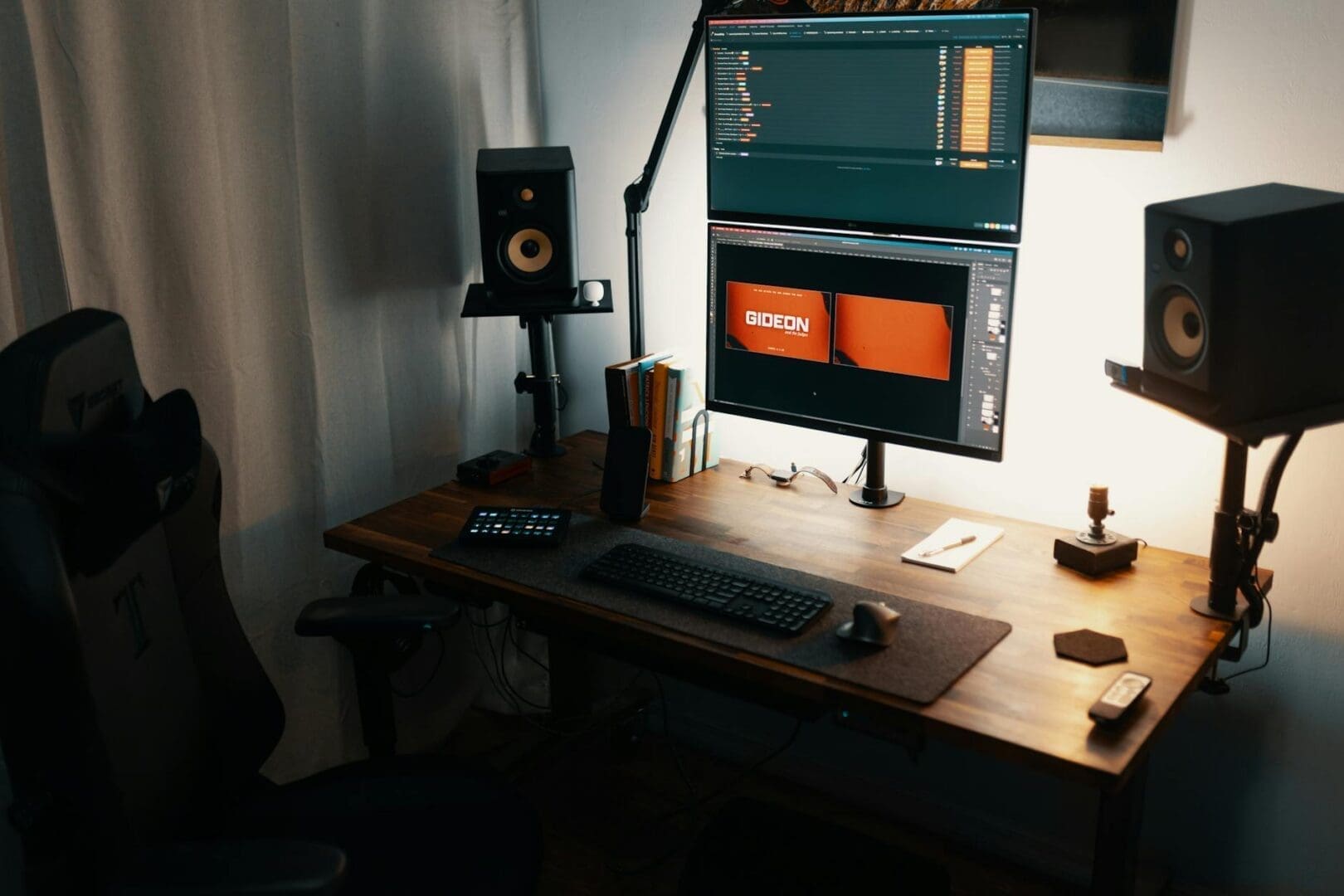
Staring at your screen all day shouldn’t mean neck pain by evening. If you find yourself slouching, tilting your head down, or dealing with a cluttered desk, a monitor stand might be exactly what your workspace needs. The right stand elevates your screen to eye level, creates storage space underneath, and can genuinely transform how you feel at the end of a workday.
With options ranging from simple risers to adjustable arms with multiple pivots, choosing the right monitor stand depends on your specific setup, work style, and what problems you’re trying to solve. Let’s walk through what matters most.
Getting the Height and Ergonomics Right
The whole point of a monitor stand is proper ergonomics, so this is where to start. Your screen’s top edge should sit at or slightly below eye level when you’re sitting with good posture. Most people need their monitor raised 2-6 inches, depending on desk height and chair setup.
Fixed-height stands are the simplest option, typically lifting your monitor 3-4 inches. These work well if you’re confident about the height you need and won’t be sharing the desk with anyone else. They usually run $15-40 and often include storage space underneath for your keyboard or office supplies.
Adjustable stands give you flexibility to dial in the perfect height and are essential if multiple people use the workspace. Look for smooth adjustment mechanisms—you shouldn’t need tools every time you want to tweak the position. Gas spring arms offer the most flexibility, letting you move your monitor up, down, forward, and back with minimal effort. These range from $80-300 depending on weight capacity and build quality.
Size, Weight Capacity, and Monitor Configuration
Before falling in love with a particular stand, check two critical specs: weight capacity and VESA compatibility. Most monitors weigh between 8-20 pounds, but ultrawide or larger displays can hit 30 pounds or more. Choose a stand rated well above your monitor’s weight for stability.
If you’re mounting your monitor rather than just setting it on a riser, you’ll need VESA mounting holes on the back of your screen. The most common patterns are 75x75mm and 100x100mm. Some stands accommodate both, while others are specific—always verify compatibility before purchasing.
Working with multiple monitors? Dual and triple monitor stands keep everything aligned and save considerable desk space. These typically cost $100-250 and should support your combined monitor weight plus about 30% extra for safety. Make sure your desk is deep enough (usually 24 inches minimum) to position multiple screens at a comfortable viewing distance.
Material, Style, and Desk Compatibility
Monitor stands come in materials that range from budget-friendly plastic to premium wood and metal combinations. Bamboo and walnut wood stands ($30-70) add warmth to your desk and often include organizational features like phone stands or pen holders. Metal stands with powder-coated or brushed finishes ($25-100) offer durability and a modern look that pairs well with most office furniture.
Consider how the stand attaches to your desk. Freestanding risers simply sit on your desktop—easy to move but taking up surface space. Clamp-on and grommet-mounted arms attach to your desk edge or through a cable management hole, freeing up your entire desktop. Just verify your desk thickness (most clamps accommodate 0.4-3.5 inches) and that you have clearance underneath for the clamp mechanism.
If you have a standing desk, make sure any monitor arm you choose has enough vertical range to work at both sitting and standing heights, or plan to adjust your monitor separately when you change positions.
Extra Features Worth Considering
Basic stands do one job well, but premium options include features that might solve other workspace frustrations. Built-in USB ports or wireless charging pads keep your devices powered without extra cable runs. Cable management channels or clips prevent the rat’s nest of cords that usually accumulates behind monitors.
Some stands include small storage drawers or organizational compartments for desk supplies—particularly useful in compact workspaces. Swivel and tilt functions let you quickly adjust your screen angle for reducing glare or sharing your display with someone nearby.
Your workspace should support how you actually work. Measure your monitor, consider your ergonomic needs, and think about whether you want just a lift or a full range of adjustability. A well-chosen monitor stand is one of those small changes that makes every single workday a little more comfortable—and that adds up quickly.
Your home office deserves better than a jumble of mismatched shelves and that filing cabinet you’ve been meaning to replace. A storage wall unit can transform your workspace from chaotic to composed, giving you dedicated spots for books, supplies, tech equipment, and all those things that currently live in piles. The trick is finding one […]
If you’re drowning in papers, sticky notes, and file folders that haven’t been touched in months, you’re not alone. The promise of a paper-free office isn’t just about going digital—it’s about choosing furniture and storage solutions that support a cleaner, more organized way of working. The right setup makes it easier to maintain that clutter-free […]
Your back is telling you it’s time. After months of working from home in a dining chair or that hand-me-down seat from college, you’re ready to invest in a proper office chair. The good news? You don’t need to spend $800 on a Herman Miller to get real ergonomic support. The under-$300 market is packed […]