If you’re thinking about adding a second monitor to your workspace, you’re onto something. But here’s the catch: a dual monitor setup only works when your furniture and layout can actually support it. Too many people buy that second screen only to realize their desk is too small, their chair doesn’t position them right, or they’re craning their neck all day. Let’s walk through what you actually need to make a dual monitor setup work for you.
Getting the Desk Size and Shape Right
Your desk is the foundation of everything, and dual monitors need more real estate than you think. A standard 48-inch desk can technically fit two 24-inch monitors, but you’ll have zero room for notebooks, coffee, or anything else. Look for desks that are at least 55-60 inches wide if you’re running two monitors side by side.
Desk depth matters just as much. You want at least 24-30 inches of depth so you can position monitors far enough back to reduce eye strain. If your monitors are too close, you’ll end up with neck pain and headaches. L-shaped desks work beautifully for dual setups because they give you corner space to angle monitors while keeping your main work surface clear. Budget options start around $200-300, while solid wood or standing L-shaped desks run $600-1,200.
Corner desks are another smart choice. They naturally create the depth you need and let you position monitors at slight angles, which is easier on your eyes than having both screens perfectly flat in front of you.
Monitor Mounting: Arms vs. Stands
How you mount your monitors changes everything about your setup. Standard monitor stands eat up desk space fast. Two monitors on their factory stands can take up 20+ inches of depth, pushing everything right to the edge of your desk.
Monitor arms are game-changers here. A dual monitor arm clamps to the back of your desk and holds both screens, freeing up all that surface area underneath. You can adjust height, tilt, and angle throughout the day, and it keeps cable management cleaner. Expect to spend $80-150 for a reliable dual arm mount that holds monitors up to 27 inches. Premium gas-spring arms with more flexibility run $200-350.
Wall mounting is worth considering if you’re in a permanent workspace. It opens up even more desk space and creates a cleaner look, though you lose some adjustability. Wall mounts range from $40 for basic fixed mounts to $120+ for articulating arms.
Layout Configurations That Actually Work
Not all dual monitor setups look the same, and the right layout depends on how you work. The side-by-side arrangement is most common—two monitors next to each other at eye level. This works great if you reference documents while writing or compare data across screens. Position your primary monitor directly in front of you and angle the secondary monitor slightly inward.
Stacked monitors (one above the other) make sense for specific workflows like video editing or coding where you need to see long documents or timelines. This requires a vertical monitor mount and a desk with enough depth to sit back from the screens. You’ll also want a chair with good lumbar support since you’ll be looking up frequently.
The angled setup positions monitors in a slight V-shape, which many people find more comfortable than perfectly flat screens. This is where corner desks and L-shaped desks really shine—they give you the space to create these angles naturally.
Supporting Furniture and Accessories
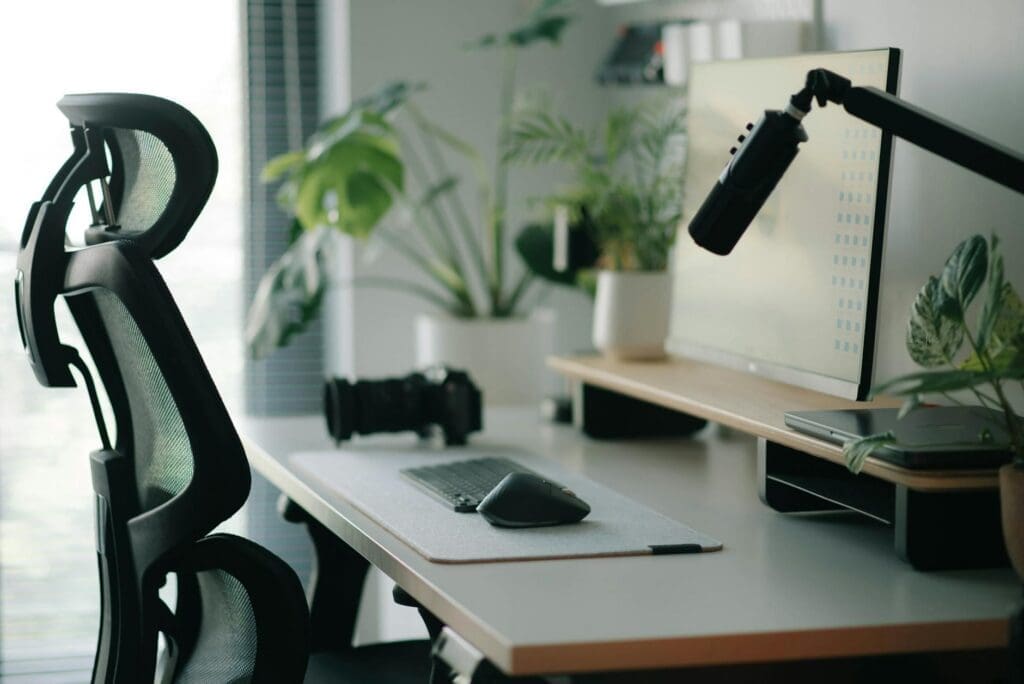
Your chair matters more with dual monitors because you’ll be swiveling and turning more often. A chair with a 360-degree swivel base and good lower back support prevents strain. Mid-range ergonomic chairs run $200-400, while premium options go $500-1,000+.
Cable management boxes and raceways keep the inevitable tangle of cords under control. Dual monitors mean twice the cables—power, HDMI or DisplayPort, USB if you’re running a hub. Desk grommets and under-desk cable trays (around $15-40) make a huge difference in keeping things clean.
Task lighting becomes more important too. Position a desk lamp to reduce glare on your screens. LED desk lamps with adjustable arms give you control over where light falls, typically running $30-80 for quality options.
A dual monitor setup can genuinely transform how you work, but only if your furniture supports it properly. The right desk size, a mounting solution that fits your space, and a thoughtful layout make all the difference between a productivity boost and an ergonomic nightmare. Take measurements of your current space, think about how you actually work, and build your setup around that reality.
Your home office deserves better than a jumble of mismatched shelves and that filing cabinet you’ve been meaning to replace. A storage wall unit can transform your workspace from chaotic to composed, giving you dedicated spots for books, supplies, tech equipment, and all those things that currently live in piles. The trick is finding one […]
If you’re drowning in papers, sticky notes, and file folders that haven’t been touched in months, you’re not alone. The promise of a paper-free office isn’t just about going digital—it’s about choosing furniture and storage solutions that support a cleaner, more organized way of working. The right setup makes it easier to maintain that clutter-free […]
Your back is telling you it’s time. After months of working from home in a dining chair or that hand-me-down seat from college, you’re ready to invest in a proper office chair. The good news? You don’t need to spend $800 on a Herman Miller to get real ergonomic support. The under-$300 market is packed […]