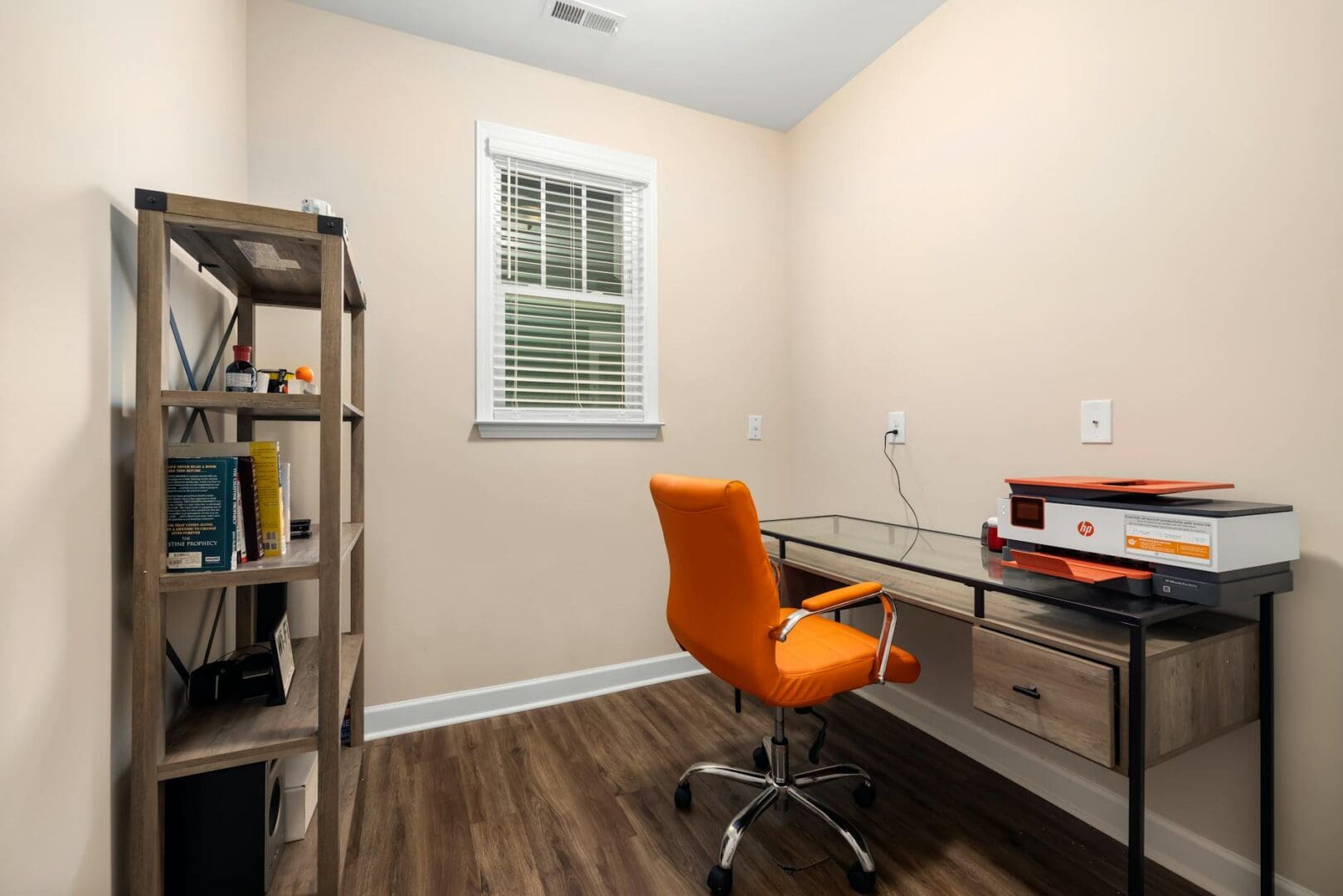
Setting up a home office that actually works means choosing equipment that fits your space and your workflow. A printer might not be the most exciting piece of furniture in your office, but picking the wrong one means dealing with jammed paper, expensive ink, and a bulky machine taking up valuable desk real estate. Whether you’re printing contracts daily or just need occasional hard copies, here’s how to find a printer that earns its place in your home office.
Inkjet vs. Laser: Which Technology Fits Your Needs?
This is the fundamental choice you’ll make, and it comes down to what you’re actually printing. Inkjet printers excel at color documents and photos, making them ideal if you’re designing marketing materials, printing presentations with graphics, or occasionally need photo-quality output. They’re typically compact enough for smaller desks and range from $50-$150 for basic models to $200-$400 for all-in-ones with scanning and copying.
Laser printers are the workhorses for text-heavy documents. If you’re printing contracts, reports, or manuscripts regularly, laser gives you crisp text and significantly lower per-page costs. They’re faster too—important if you’re printing 20-page documents regularly. Expect to spend $150-$250 for a solid monochrome laser printer, or $250-$500 for color laser models. The upfront cost is higher, but toner cartridges last much longer than ink.
Size and Placement in Your Office Layout
Printers have a sneaky way of being larger than they appear online. Before falling for any model, measure your available space—and remember that printers need clearance behind them for paper loading and above them if the scanner lid opens upward.
Compact inkjet models can tuck into a 15-inch wide space on a desk or credenza, making them perfect for tight quarters or shared spaces in your home. All-in-one models typically need 18-20 inches of width. Laser printers tend to be deeper front-to-back, so they often work better on a dedicated printer stand or lower shelf rather than your main work surface.
Consider noise level too. Laser printers are louder during operation, which matters if your office shares a wall with a bedroom or you’re on video calls frequently. Inkjet models run quieter but can take longer to warm up and print.
Essential Features Worth Prioritizing
Wireless connectivity isn’t optional anymore—it’s essential. You’ll want to print from your laptop, phone, and tablet without cable-swapping. Look for printers with both WiFi and ethernet options for flexibility.
Automatic document feeders (ADF) make scanning multi-page documents actually bearable. If you’re digitizing files or scanning contracts regularly, spend the extra $50-$100 for this feature. Two-sided (duplex) printing saves paper and looks more professional—useful for client-facing documents.
Here’s what else to evaluate:
Monthly duty cycle that exceeds your actual printing needs by at least 30%
Paper tray capacity—150 sheets minimum if you print daily
Mobile printing apps that actually work reliably
Replacement cartridge costs (check before buying, not after)
Touchscreen controls for easier navigation without a computer
The Real Cost: Cartridges and Maintenance
The sticker price is just the beginning. A $100 printer with $40 cartridges that last 200 pages will cost you far more than a $300 printer with $80 cartridges that last 2,000 pages. Do the math based on your typical monthly printing volume.
Tank-based inkjet printers (like Epson EcoTank or HP Smart Tank) have higher upfront costs ($250-$400) but include enough ink for 2-3 years of moderate use. They’re worth considering if you print 100+ pages monthly. For lighter use, standard cartridge-based printers make more sense—just buy a model where third-party cartridges are readily available to cut costs.
Laser toner seems expensive upfront but breaks down to just 2-3 cents per page compared to 8-15 cents for inkjet. If you’re printing more than 50 pages weekly, laser pays for itself within the first year.
Finding the right printer means matching the technology to your actual habits, ensuring it fits your physical space, and understanding the long-term costs beyond that initial purchase. Measure your desk space, estimate your monthly printing honestly, and choose based on the features you’ll use daily rather than specs that sound impressive but sit unused. Your home office deserves equipment that works as hard as you do.
Your home office deserves better than a jumble of mismatched shelves and that filing cabinet you’ve been meaning to replace. A storage wall unit can transform your workspace from chaotic to composed, giving you dedicated spots for books, supplies, tech equipment, and all those things that currently live in piles. The trick is finding one […]
If you’re drowning in papers, sticky notes, and file folders that haven’t been touched in months, you’re not alone. The promise of a paper-free office isn’t just about going digital—it’s about choosing furniture and storage solutions that support a cleaner, more organized way of working. The right setup makes it easier to maintain that clutter-free […]
Your back is telling you it’s time. After months of working from home in a dining chair or that hand-me-down seat from college, you’re ready to invest in a proper office chair. The good news? You don’t need to spend $800 on a Herman Miller to get real ergonomic support. The under-$300 market is packed […]