As a graphic designer, your home office isn’t just a place to answer emails—it’s your creative command center. You need space for multiple monitors, a color-accurate environment, room for sketching or mood boards, and storage for all those dongles, tablets, and hard drives. The right setup can mean the difference between fighting your workspace and flowing through projects with ease.
The Desk: Size and Configuration Matter More Than You Think
Forget the standard 48-inch desk. Graphic designers need surface area, and lots of it. Look for desks that are at least 60 inches wide, with a depth of 30 inches minimum. L-shaped desks work beautifully for design work—one side for your monitors and keyboard, the other for sketching, reviewing print samples, or parking your coffee.
Consider height-adjustable standing desks in the $400-$900 range. Models with programmable presets let you switch positions throughout the day, which helps when you’re deep in a project and realize you haven’t moved in three hours. If standing desks stretch your budget, a solid wood or laminate desk with cable management runs $250-$500 and gets the job done.
Pay attention to depth if you’re running dual monitors or an ultrawide. You’ll want at least 30 inches between your eyes and the screen to avoid neck strain. Desktop material matters too—matte finishes reduce glare better than glossy surfaces.
Seating: Invest Here First
You’re going to spend 6-10 hours a day in this chair. A basic office chair might cost $150, but ergonomic task chairs designed for extended sitting start around $400 and climb to $1,200 for brands like Herman Miller or Steelcase. The difference isn’t just comfort—it’s about maintaining focus when you’re tweaking kerning for the hundredth time.
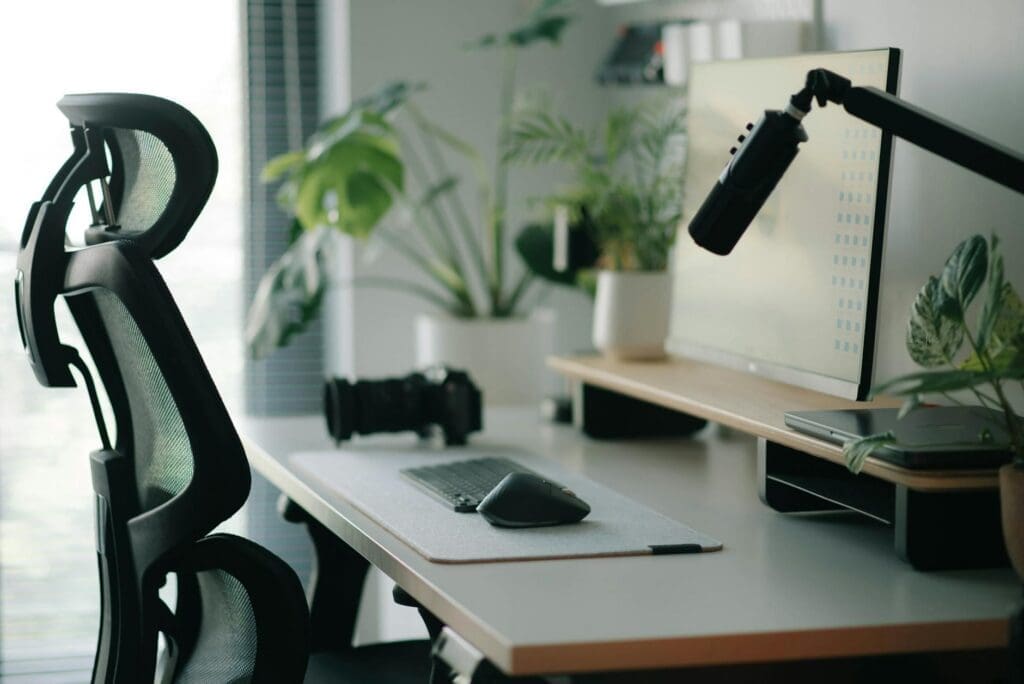
Look for adjustable lumbar support, seat depth adjustment, and armrests that move in multiple directions. Mesh backs provide better airflow than foam, which matters during marathon revision sessions. If premium chairs aren’t feasible right now, prioritize lumbar support and adjustability over aesthetics. You can always upgrade later, but back problems don’t wait.
Lighting: Color Accuracy Isn’t Optional
Overhead lighting alone won’t cut it. Graphic designers need layered lighting that minimizes screen glare while providing accurate color rendering. Look for desk lamps with a CRI (Color Rendering Index) of 90 or higher—these show colors more accurately, which matters when you’re matching brand guidelines or preparing files for print.
LED task lamps with adjustable color temperature ($60-$150) let you shift between warm light for evening work and cooler, daylight-spectrum light when color precision matters most. Position your desk lamp to the side of your monitor, not behind it, to avoid reflections. Add a floor lamp with a diffuser in the corner opposite your desk to eliminate harsh shadows without creating glare.
If possible, position your desk perpendicular to windows rather than facing them directly. Natural light is wonderful, but midday glare on your screen isn’t. Blackout roller shades ($40-$120) give you control when you need it.
Storage and Organization for Creative Chaos
Design work generates stuff: external drives, graphic tablets, color swatch books, sketchbooks, cables, and about fifteen different adapters. Mobile filing cabinets ($100-$300) tuck under your desk and keep current project materials within reach. Look for models with at least one drawer deep enough for hanging files and another for supplies.
Wall-mounted shelving saves floor space and keeps reference books or inspiration visible. Floating shelves ($30-$80 each) work for lighter items, while track systems ($150-$400) handle heavier loads and adjust as your needs change. Keep your most-used items—headphones, tablet, charging cables—in desktop organizers or drawer dividers so you’re not hunting for basics when inspiration strikes.
A small bookshelf or credenza ($200-$600) gives you space for printers, scanners, or simply a place to stage projects without cluttering your primary work surface.
Your home office should support your creative process, not fight against it. Start with a spacious desk and a proper chair—these form your foundation. Add lighting that lets you see colors accurately, then build in storage that keeps tools accessible without creating visual clutter. The investment pays off in fewer distractions, less physical strain, and a space that actually feels good to work in day after day.
Your home office deserves better than a jumble of mismatched shelves and that filing cabinet you’ve been meaning to replace. A storage wall unit can transform your workspace from chaotic to composed, giving you dedicated spots for books, supplies, tech equipment, and all those things that currently live in piles. The trick is finding one […]
Your back is telling you it’s time. After months of working from home in a dining chair or that hand-me-down seat from college, you’re ready to invest in a proper office chair. The good news? You don’t need to spend $800 on a Herman Miller to get real ergonomic support. The under-$300 market is packed […]
If you’re spending hours at your desk every day, your office chair matters more than you might think. The two most popular materials—mesh and leather—each have devoted fans, but they deliver very different sitting experiences. Let’s break down what actually matters so you can choose the one that fits your workday, your space, and your […]